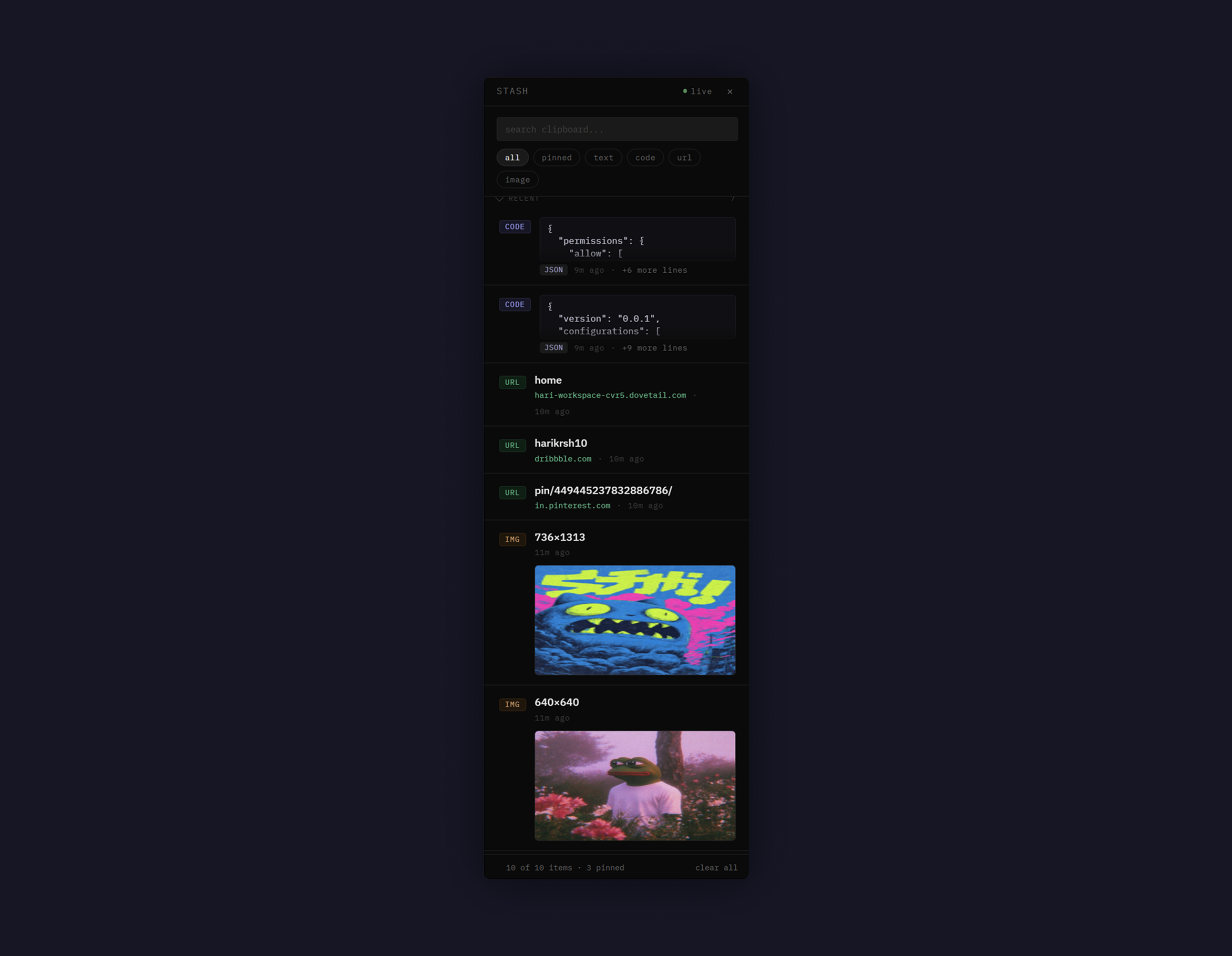
Stash is a desktop clipboard manager I designed and built end-to-end. It keeps everything you copy and lets you drag any past clip straight back into the app you're working in — Notion, VS Code, Figma, or the AI tool you keep feeding reference images to.
Stash isn't for everyone who copies and pastes. It's for two kinds of people who do it relentlessly, in bursts, with images — and pay for it every time.
I kept seeing the same behaviour in designers deep in an exploration phase, and in the new wave of builders working alongside AI. Different tools, identical friction: collect a pile of references, then feed them somewhere, one painful round-trip at a time.
The system clipboard is a single slot. Copy a second thing and the first is gone — no warning, no recall. For the way these two users work, that one slot is the bottleneck.
For the explorer, every new reference erases the last. So gathering ten images becomes ten interruptions — copy, switch, paste, switch back, find your place again. The flow of looking dies the moment you try to keep anything.
For the AI builder it's worse, because images and prompts get reused. Re-upload the same reference. Re-type the prompt you liked. Dig through Downloads for the file you saved three messages ago. The cost isn't one paste — it's the same paste, over and over, pulling you out of the very context where the thinking happens.
A clipboard isn't a slot. It should be a place you can pull from.
A personal annoyance isn't a problem worth building for. Before writing a line of code, I validated it on both sides — a survey for breadth, one-on-one interviews for depth.
Quantitative. I ran a survey to pressure-test the pain points and use cases. Around 66% said copied items routinely get buried the moment they copy something newer, and the recurring theme was context switching — losing the thread of what they'd copied as they moved between tools. When I tested the proposed solutions, more than 70% said quick drag-and-drop of clips into their core apps, plus a recorded history of what they'd copied, were features they related to and badly wanted. Designers and builders alike were losing real time to this switching, and were open to trying something that fixed it.
Qualitative. I then interviewed 8 users — a mix of designers and builders — one on one, working from a planned script to understand how a solution would actually slot into their day. That's where the most important constraint surfaced: this couldn't be another app. A new place to manage would just add the context switching they were trying to escape. It had to disappear into the workflow they already had.
The users didn't want a new app. They wanted the switching to stop.
The research didn't just confirm a problem — it pointed at exactly what the product had to be. Each finding mapped cleanly onto a principle I refused to compromise.
Clips get buried under newer copies — the pain is finding and re-using, not storing.
Build for retrieval, not memory. One drag out — no re-copy, switch, paste.
Want to drag clips — text and reference images — straight into their core tools.
The clip lands where the cursor already is — Figma, an AI prompt, a canvas.
Interviewees pushed back on "another app" — a new place to manage means more switching.
Live inside the workflow. Stay in the tray, invisible until summoned.
If you have to copy it again to use it, the history never saved you anything.
Stash keeps everything you copy — text, code, URLs, and crucially images — and gives you two ways back in, split by intent.
The Drawer is for when you're looking: full height, searchable, filterable, the place to gather a session's worth of references and pin the keepers. The Dock is for when you already know: a tiny popover at your cursor with the last five clips, gone the moment you've grabbed one. From either, you drag straight into the app you're working in.
The hard path technically, but the only one that felt invisible. Electron's webContents.startDrag hands the OS a real file drop — so a reference image lands in Figma or an AI tool as an actual image, not a workaround. This is the feature the whole product is built to deliver.
A clipboard sees passwords, tokens, private messages. So nothing unpinned ever touches disk — quit the app and your history is genuinely gone. Only items you explicitly pin (★) persist. Privacy isn't a setting here; it's the architecture.
Stash detects and drops API keys, JWTs, AWS keys, OTP codes, and Luhn-validated card numbers before they enter history — tuned hard against false positives, so a normal URL or snippet is never blocked. The safest clip is the one that was never stored.
* Step durations measured from screen-recorded workflows (n=8 sessions). Re-orientation cost after app switch (~9s) aligns with Microsoft WorkLab's 2022 finding that workers take 9–15s to resume visual context after switching apps. Copy + switch cycle (~5s) based on OS app-switch latency of ~2.5s (Windows/macOS benchmarks) plus paste action. "Find image" times (~12–13s) are conservative medians from recordings — participants who lost scroll position averaged 14.3s.
For the explorer, gathering a board of references stopped breaking their flow — clips collect in one place and drag out when they're ready. For the AI builder, the same set of references and prompts is one drag away on every iteration, no file picker, no leaving the conversation.
Stash is live, open source, and the second product I've shipped that runs on someone else's machine. It started as a clearly-stated problem for two real users — and ended as the everyday tool I built to solve it, owned end to end from the insight to the installer.
A designer can own the whole thing — the research, the call, and the build.